Weighted Grade Calculator: How to Calculate Weighted Grades
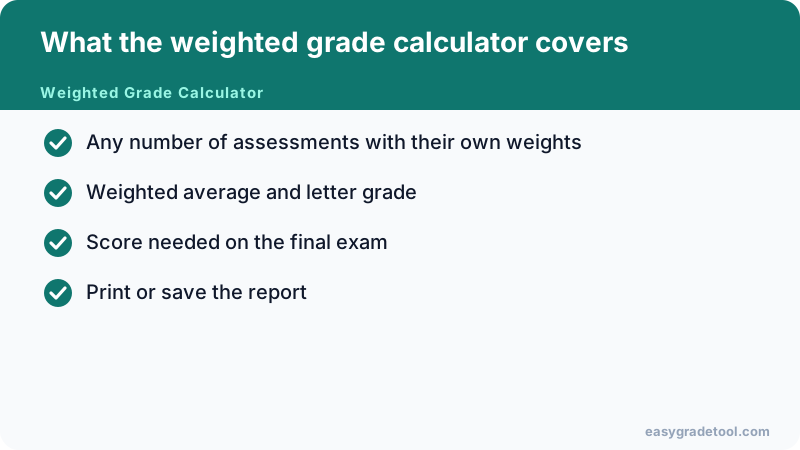
A weighted grade calculator turns your syllabus into one course percentage. Instead of adding every point together, it gives each category (homework, quizzes, projects, midterms and the final exam) its own share of the grade, so you can see where you stand today and what you still need to earn. This free online tool works for school, high school and college classes, with weights or with total points.
How to Calculate Weighted Grades
Weighted grades follow one idea: a category that is worth more in the syllabus moves your course total more. The steps below work for any class, on paper or in the calculator.
How do I calculate my weighted grade for a class?
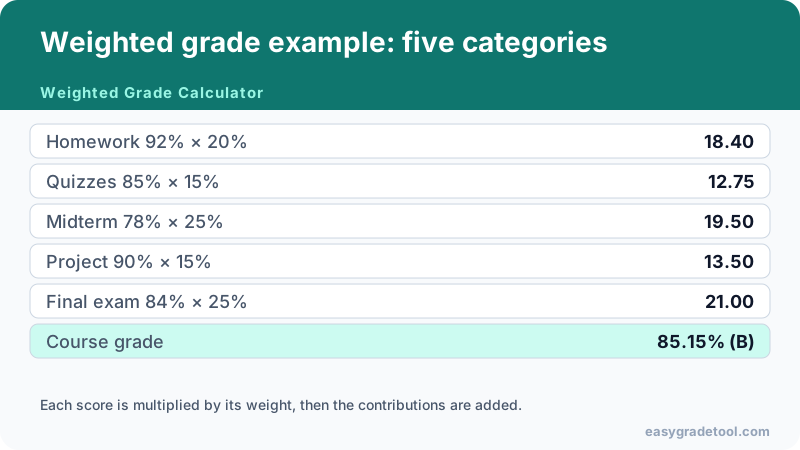
- Turn each category score into a percentage: points earned ÷ points possible × 100.
- Write each syllabus weight as a decimal (20% becomes 0.20) and multiply it by that category’s percentage.
- Add the results. The total is your weighted average grade.
- If some categories are not graded yet, divide the total by the sum of the weights you have used so far.
Example: homework 92% (weight 20%), quizzes 85% (20%), a midterm 78% (25%) and a project 88% (15%) give 18.4 + 17.0 + 19.5 + 13.2 = 68.1 points from 80% of the course. Divide 68.1 by 0.80 and your current weighted grade is 85.1%.
Weighted average grade vs. simple average
A simple average treats every score the same. A weighted average does not. If you score 100% on a quiz worth 10% of the course and 70% on an exam worth 90%, the simple average of the two scores is 85%, but the weighted average is 0.10 × 100 + 0.90 × 70 = 73%. The weights decide the outcome, which is why reading the syllabus first matters.
How Does a Weighted Grading System Work?
In a weighted grading system the instructor splits the course into categories and gives each one a percentage, with the percentages adding up to 100%. Category weight grading usually works in two layers: first you average the scores inside each category (by total points, or equally, depending on the course), then you apply the category weight.
Category weight grading in practice
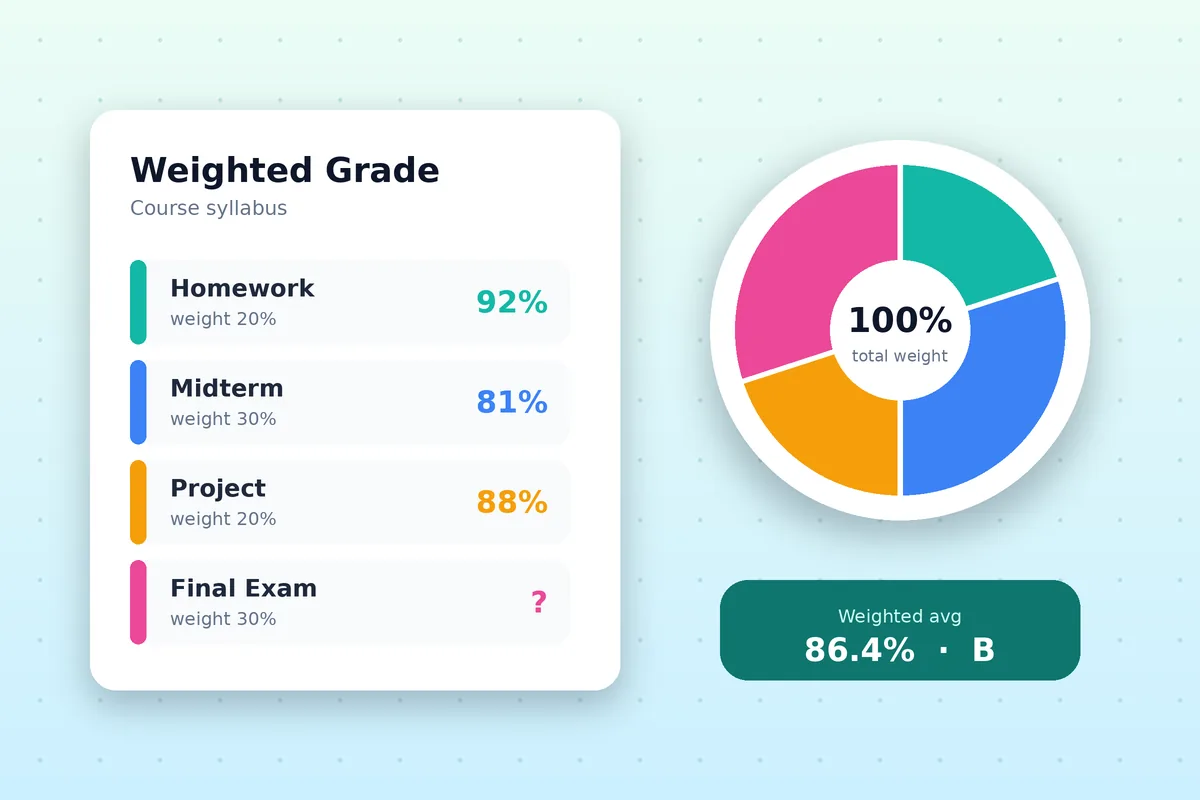
A typical syllabus reads: homework 20%, quizzes 15%, projects 15%, midterm 20%, final exam 30%. Because the final exam alone is worth 30%, one weak exam can outweigh a semester of strong homework. Policies such as dropping the lowest quiz or capping extra credit change the category average before the weight is applied, so enter your scores after those rules.
When the weights do not add up to 100%
Mid-semester only some categories are graded. The calculator divides by the weights you have entered, so a partial-term result shows your current standing instead of a number dragged down by work that does not exist yet.
Weighted Grade Calculator with Points or Percentages
How does a weighted grade calculator work with total points?
Some courses skip category weights and simply add up points: every point counts the same, and the result is points earned divided by points possible. Switch the calculator to Points mode for that. Scores of 45 out of 50, 88 out of 100 and 27 out of 30 give 160 of 180 points, or 88.9%. In Weighted (%) mode the same rows would each need a weight instead.
Weighted grade calculator by percent: 80/20 and 60/40 splits
Two-part syllabi are the easiest to check by hand. With coursework worth 80% and an exam worth 20%, a coursework average of 88% and an exam score of 72% give 0.80 × 88 + 0.20 × 72 = 84.8%. With exams worth 60% and homework worth 40%, a 75% exam average and 95% homework give 0.60 × 75 + 0.40 × 95 = 83%. Enter the weights as 80 and 20, or 60 and 40, and the calculator returns the same totals.
Weighted grade calculator with extra credit
To add extra credit, type a score that is higher than the Out Of value for that row, such as 105 out of 100, or add a separate bonus row. The calculator does not cap the result at 100%, so you can see the uncapped course total and then apply your instructor’s rule if the class limits extra credit.
Weighted vs. Unweighted Grades
What is the difference between weighted and unweighted grades?
An unweighted result treats every point or every assignment equally. A weighted one lets some categories count more, so a 90% exam can lift your course total more than a 90% homework set. The word also appears in GPA: a weighted GPA adds extra points for honors or AP classes, which is a separate idea from category weights. Use the GPA calculator for that, and this page for the course percentage.
Weighted grade calculator for high school, AP and honors classes
High school teachers usually weight categories such as homework, tests and projects, and the calculator handles that directly. AP and honors weighting normally affects the GPA scale, not the class percentage, so calculate the course percentage here first and then enter the letter in the GPA calculator.
Weighted grade calculator for college and university modules
College and university courses often weight coursework, midterms and a final, and modules can carry different credit values. For one course, enter each component with its weight. To combine modules, enter each module’s percentage and use its credit value as the weight: a 40-credit module counts twice as much as a 20-credit module, whatever each result is. Grading scales and degree classifications differ by country, so use the percentage as the reliable result and check your institution’s own table for the letter or class.
What Grade Do I Need on the Final?
How to find the score you need on a weighted final exam
Use the target simulator under your results. Enter the course total you want and the weight of the exam, and it solves for the score required. The formula behind it is: needed score = (target − current × (1 − exam weight)) ÷ exam weight. With an 82% standing, a 30% exam and an 80% target, that is (80 − 82 × 0.70) ÷ 0.30 = 75.3%. For a full walkthrough, open the final exam grade calculator.
Weighted Grade Calculator in Excel, Google Sheets, Canvas, PowerSchool
How do I make a weighted grade calculator in Excel or Google Sheets?
Put each category percentage in one column and its weight in the next. Then use =SUMPRODUCT(B2:B6, C2:C6) / SUM(C2:C6), where column B holds the percentages and column C the weights, and the result is your weighted percentage. The formula works the same in Excel and Google Sheets. This page does the same sum without any setup, which is handy when you only need a quick answer or a what-if score.
Can I use it with Canvas, Blackboard or PowerSchool grades?
Yes, by typing the numbers in. Read each category’s percentage or points from your school portal, then enter them with the weights from your syllabus. The calculator does not connect to a school account, so nothing is imported, and nothing you type is sent anywhere. That also means you can test what-if scores before your teacher posts the real ones.
Semester or full-year weighted grades
For a semester, enter your categories with their weights. For a full year made of two semesters or terms, enter each term’s result as a row and give each the weight your school uses, such as 50 and 50. If a term counts for less, give it a smaller weight, and the calculator scales the total to match.
Using the Weighted Grade Calculator
- Add one row per category or assignment with the score you earned, the points possible and the syllabus weight.
- Check that the weights match your syllabus; the running total is shown next to the list.
- Read your weighted percentage and letter, which update as you type.
- Open the target simulator to test a hypothetical exam score and see the course total it would produce.
To work backwards from a goal, use the final exam grade calculator, which reverses the same formula to give the exact score you need on the exam. For a single quiz or test, the test grade calculator gives the percentage and letter first.
Common Weighted Grade Mistakes
- Adding raw points from different categories as if every point counted the same.
- Typing a weight as a whole number in the formula (20 instead of 0.20).
- Rounding each category before adding, which can move the final result across a letter cutoff.
- Forgetting that extra credit and dropped scores change a category average before it is weighted.