By Muhammad Mansoor Haidar, owner and developer · Last updated October 25, 2026
Weighted & Points Calculator
Add assignments, quizzes, and exams to calculate your current standing. Leave the score empty for work that is not graded yet.
Weights total 100%. Your weights add up to 100%.
Based on 4 counted rows (weighted).
Out of reach without extra credit: the most you can reach is 88.8%.
How category weights work
A category grade is a weighted average: multiply each category’s average score by its weight, add the results, and divide by the total weight. With homework at 85% weighted 20, quizzes at 90% weighted 30 and tests at 78% weighted 50, the course grade is (85 × 20 + 90 × 30 + 78 × 50) ÷ 100 = 83.0%.
The contribution column is what makes this useful: homework contributes 17.0 points of the 83, quizzes 27.0 and tests 39.0. When a category drags the total down, its contribution shows exactly how much of the damage it does.
Choosing weights that match your syllabus
Copy the weights from your syllabus exactly — do not guess them. Syllabuses differ widely: one course weights tests at 60% and homework at 10%, another splits evenly across four categories, and a third weights a final exam alone at 40%. The calculator cannot know your syllabus, so the weights you enter are the whole calculation.
If your syllabus lists weights as fractions or decimals instead of percents, convert them first: a weight of 0.25 is 25%. What matters is the ratio between categories, not the unit they are written in.
Several items inside one category
A category usually holds several pieces of work: five quizzes, say, or eight homework sets. Average those pieces first — total points earned over total points possible across the category — and enter that single average as the category score.
Averaging by points, not by percents, is what keeps the category honest. Five quizzes worth 10 points each and one worth 50 should not count equally; the points average weights the 50-point quiz five times as heavily, which is exactly what its size deserves.
Weights that do not add to 100
Weights are relative, so a set that totals 90 or 110 works exactly like one that totals 100: the calculator divides by the total weight you entered. Weights of 20, 30 and 40 (total 90) give the same course grade as 22.2, 33.3 and 44.4 (total 100), because the ratios are identical.
That also means a missing category does not break the calculation — it rescales the rest. If a category has no scores yet, leave it out rather than entering zero: a zero drags the average down, while an omitted category simply lets the graded work speak for itself.
Worked example: homework, quizzes and tests
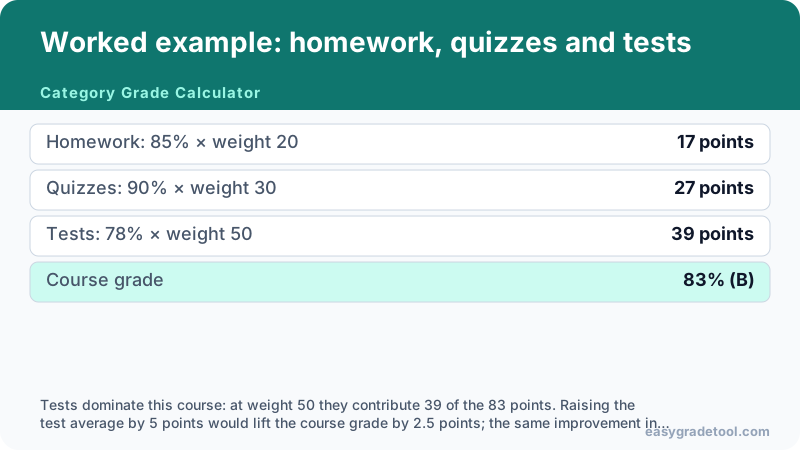
A course with three categories: homework averaging 85% at weight 20, quizzes at 90% at weight 30, tests at 78% at weight 50.
- Homework: 85% × weight 20
- 17 points
- Quizzes: 90% × weight 30
- 27 points
- Tests: 78% × weight 50
- 39 points
- Course grade
- 83% (B)
Tests dominate this course: at weight 50 they contribute 39 of the 83 points. Raising the test average by 5 points would lift the course grade by 2.5 points; the same improvement in homework would lift it by only 1.0.
Charts and examples: Category Grade Calculator
Category grade questions
How category weights work, what to do with missing categories, and how categories differ from GPA.
Interactive Tools Available
Build a category grade
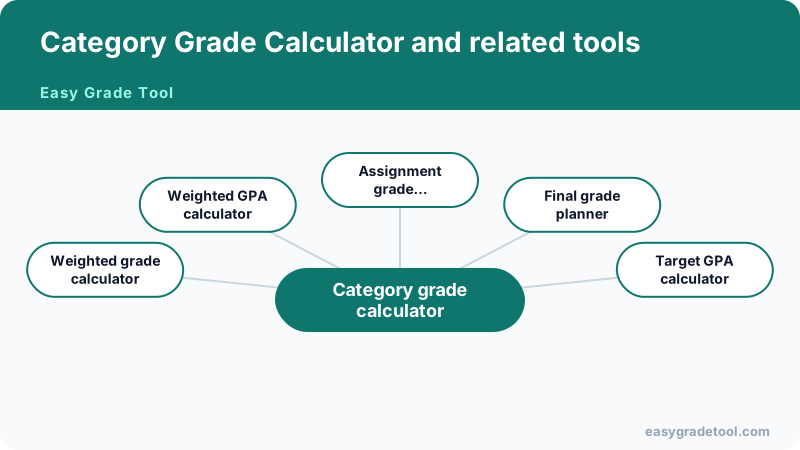
Related grade calculators
- Weighted grade calculatorCourse grades from weighted assessments.
- Weighted GPA calculatorHonors, AP and IB bonus points included.
- Assignment grade calculatorLate penalties and extra credit included.
- Final grade plannerWhat each final exam needs across all classes.
- Target GPA calculatorPlan the GPA your remaining credits must average.