By Muhammad Mansoor Haidar, owner and developer · Last updated October 25, 2026
Bonus points or late penalty (optional)
42 of 50 points after adjustments · 8 points missed before bonus.
| Grade | Minimum | Points needed | You are |
|---|---|---|---|
| A | 90% | 45 | 3 short |
| B | 80% | 40 | at or above |
| C | 70% | 35 | at or above |
| D | 60% | 30 | at or above |
Points, penalties and bonus: the three inputs
The whole calculation is one line: adjusted points = points earned − late penalty + extra credit, and the percent is adjusted points ÷ points possible × 100. A 45 out of 50 with a 5-point late penalty and 3 bonus points becomes (45 − 5 + 3) ÷ 50 = 86%.
The order of the penalty and the bonus does not change the answer, because both are additions and subtractions on the same total. Teachers who apply the penalty first and teachers who add the bonus first arrive at the same adjusted points — the only thing that matters is that both are applied once.
Late policies teachers actually use
The most common policies are a fixed points deduction per day late, a percentage taken off the earned score, and a zero after a final deadline. A grace period — often the rest of the day the work is due — is also common, and it means a paper handed in during that window counts as on time.
Whichever policy applies, convert it to points before dividing. A "10% off" penalty on a 45 out of 50 means 4.5 points off, giving 40.5 out of 50, or 81% — not 45% minus 10 points. Mixing a percent penalty with a points total is the most frequent late-work error.
Extra credit without confusion
Extra credit usually adds to the points earned while the points possible stay fixed, which is how a score can pass 100%. Whether the gradebook keeps that value or caps it at 100% is a policy choice: the calculator shows the uncapped percent, so you can see both the earned result and the capped one.
Extra credit also changes averages unevenly. Three bonus points on a 20-point assignment are worth 15 percentage points; the same three points on a 100-point assignment are worth 3. Keeping the points possible in view is what stops a small bonus from looking like a large improvement.
From assignment grade to course grade
One assignment grade is only an input to the course grade. Assignments usually sit inside a category — homework, for example — and the category has a weight in the syllabus. To combine assignments, average them within their category first, then weight the categories.
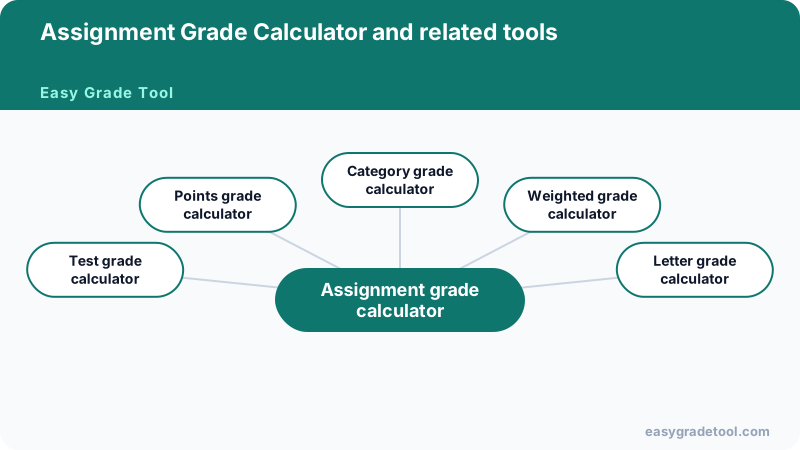
The category grade calculator does exactly that step: enter each category’s average and its syllabus weight, and it returns the course grade. The weighted grade calculator handles the same job assessment by assessment when no categories are used.
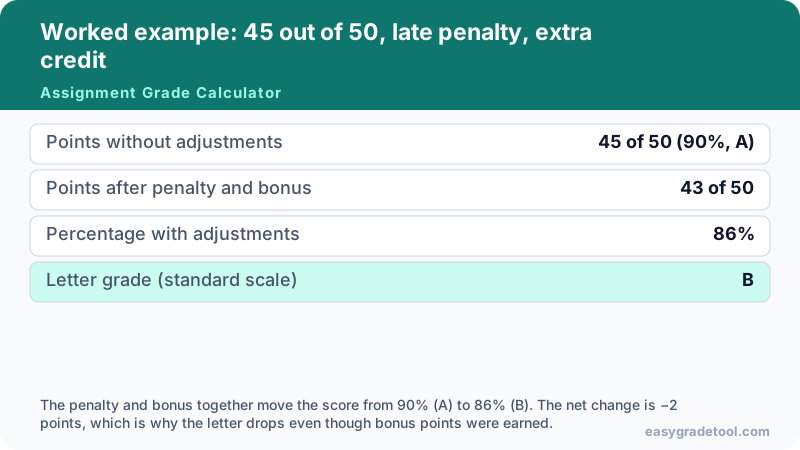
Worked example: 45 out of 50, late penalty, extra credit
An assignment worth 50 points: the student earns 45, loses 5 points for lateness, and gains 3 bonus points.
- Points without adjustments
- 45 of 50 (90%, A)
- Points after penalty and bonus
- 43 of 50
- Percentage with adjustments
- 86%
- Letter grade (standard scale)
- B
The penalty and bonus together move the score from 90% (A) to 86% (B). The net change is −2 points, which is why the letter drops even though bonus points were earned.
Charts and examples: Assignment Grade Calculator
Assignment grade questions
Late penalties, extra credit, rubric points, and what grace periods actually mean.
Interactive Tools Available
Grade an assignment
Related grade calculators
- Test grade calculatorPercentage and letter for one test, with bonus points.
- Points grade calculatorAny points score as a percent and letter.
- Category grade calculatorCombine assignments into a course grade by category.
- Weighted grade calculatorCourse grades from weighted assessments.
- Letter grade calculatorPercent, letter and GPA points on common scales.